First-Class Tools for Business Travelers: The Best Digital Essentials That Upgrade Every Trip
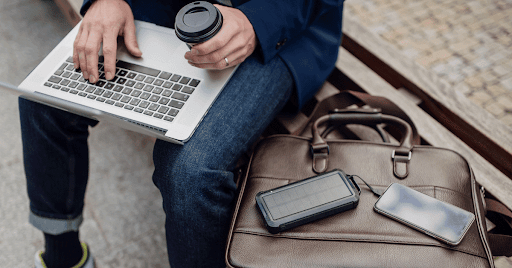
Business travel can be energizing—or exhausting. Whether you’re flying cross-country for a pitch meeting or hopping between conferences, the right digital tools can make the experience more efficient, productive, and even enjoyable. From smarter booking to better downtime and content capture, here are a few innovative tools (plus one targeted FAQ) to help business travelers level up their travel experience.
1. TripIt: Your Travel Itinerary, Unified and Simplified
Business trips often involve juggling flight confirmations, hotel bookings, rental cars, and event schedules. TripIt takes the chaos out of coordination by automatically organizing all your travel details into a master itinerary. Just forward your confirmation emails to TripIt, and it syncs everything—flights, reservations, meeting times—into a clean, scrollable agenda.
The Pro version includes real-time flight alerts, check-in reminders, and even seat tracking. If your employer doesn’t use a travel management platform, TripIt fills the gap beautifully with no added complexity.
2. Timeshifter: Beat Jet Lag With Science-Backed Guidance
Business travelers know that jet lag isn’t just inconvenient—it’s a performance killer. Timeshifter uses neuroscience-based algorithms to help you adjust your sleep schedule before, during, and after international trips. Based on your flight details and personal sleep patterns, the app gives you step-by-step instructions for light exposure, caffeine timing, and melatonin use.
This is especially useful if you’re presenting, negotiating, or leading a workshop within 24 hours of landing. Better yet, it learns your preferences over time, improving recommendations as you travel more.
3. Expensify: Expense Reporting Without the Headaches
Gone are the days of hoarding paper receipts and manually filling out spreadsheets. Expensify streamlines the entire expense process—scan a receipt, assign it to a trip or project, and let the app auto-categorize for reimbursement or tax purposes.
It integrates with major accounting software like QuickBooks and Xero, making it easy to stay compliant with your company’s policies. Solo travelers, freelancers, and corporate teams alike will benefit from its intuitive workflows and time-saving automations.
4. Duolingo for Business: Brush Up Before You Touch Down
Even a few words in the local language can go a long way in international business relationships. Duolingo for Business (part of Duolingo’s enterprise offerings) is a fun, efficient way to build basic language skills for travel. You can set goals aligned to your trip duration and even focus on business-specific vocabulary.
If you’re headed to Tokyo, Berlin, or São Paulo, doing 10 minutes of Duolingo a day before departure might just help you greet partners, understand signage, and avoid cultural faux pas.
5. Remote Work Mode: Workation Tools That Actually Work
If your travel blends business and leisure, tools like Workfrom or Nomad List can help you find the best places to work remotely from your destination. These platforms offer curated lists of coworking spaces, laptop-friendly cafes, and local Wi-Fi speed ratings.
They also include digital nomad communities where you can ask location-specific questions about safety, SIM cards, or productivity hacks. This is especially useful for hybrid travelers who add personal days to a business trip and want to remain productive without burning out.
Photo Editing FAQ for Business Travelers on the Move
Even business trips include photo moments—snapping event images for social media, headshots in new cities, or product photos from a trade show. Editing on the go has never been easier, and knowing the best practices can help you post polished images that match your brand’s professionalism.
Q: What’s a fast and reliable way to edit business photos from my phone or browser?
Use Adobe Express to edit pictures online to make quick, professional-grade edits without needing advanced software. You can adjust lighting, crop for social formats, and even add branded elements like logos or overlays directly from your browser or mobile device.
Q: How can I touch up headshots or selfies for my professional profile while traveling?
Apps like Facetune or Fotor offer basic touch-up tools like skin smoothing, lighting correction, and background blurring. While you should avoid over-editing, these tools can give you a polished look that’s ready for LinkedIn or a company Slack profile after a redeye flight.
Q: What’s the best way to compress large event photos for sharing or emailing?
Use a tool like TinyPNG or Pixlr to reduce file size without losing clarity. This is especially helpful when sending photos to media outlets, internal teams, or uploading to cloud-based collaboration platforms.
Q: Can I add my company’s branding to event photos before posting?
Yes—tools like BeFunky and Adobe Express let you add logos, watermarks, and text overlays. If you’re sharing conference booth photos or networking shots on social media, branded edits increase professionalism and protect your content from reuse.
Q: Are there tools for batch editing a series of business event photos?
Absolutely. Lightroom Mobile allows you to apply preset filters and edits across dozens of photos, ideal for when you’ve taken multiple shots at a conference or site visit. You can sync your edits, export in batches, and stay consistent with your visual brand.
With the right tools in your pocket, business travel can go from stressful to strategic. Whether you’re closing deals, building relationships, or simply working in transit, these platforms ensure your experience is efficient, professional, and even a little enjoyable. And don’t forget—sometimes a polished photo can say just as much as a perfect pitch.
